letsmkvideo

Nano Banana 2.1 — AI Image Generator

Image
(up to 14 reference images)
Upload reference image
(<30M, >300px)
Prompt
0/500
Credits required: 1
Sample Image
Sample output

AI Image Examples

Explore stunning examples created with our AI image generator and editor.

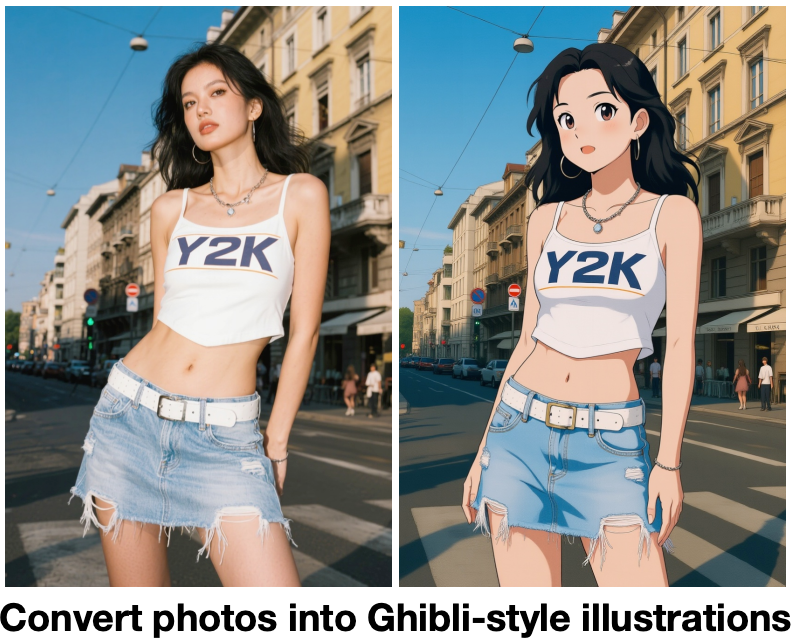
Ghibli Style Transfer

Ghibli Style Transfer

AI Generated
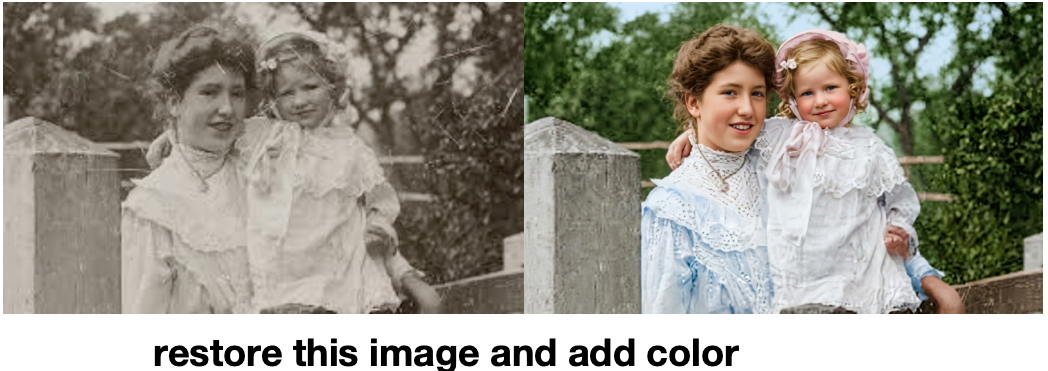
Photo Restoration

Photo Restoration

AI Generated
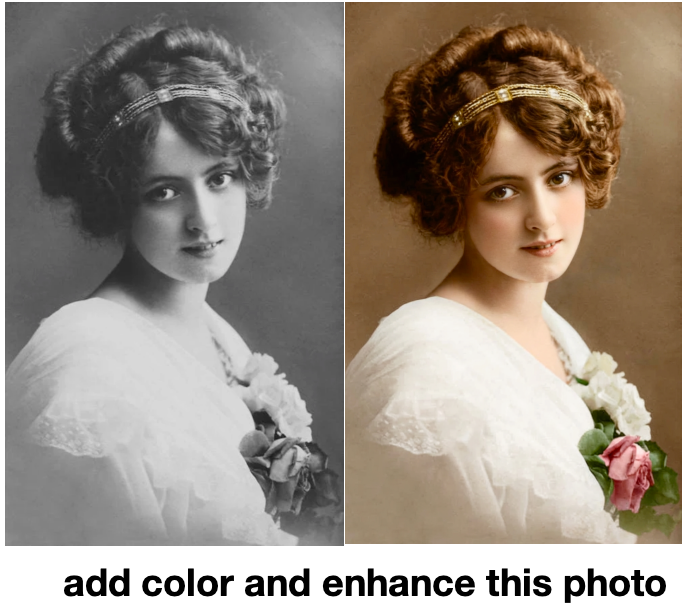
Colorization

Colorization

AI Generated
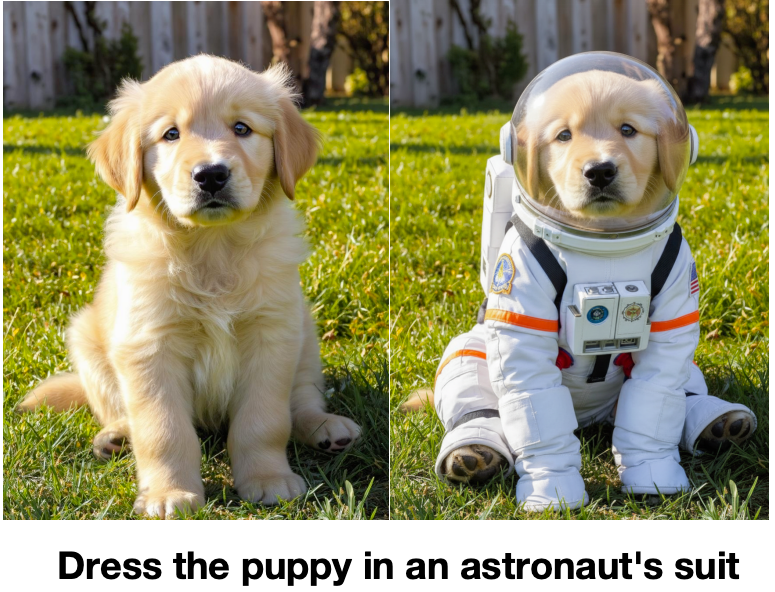
Consistent Generation

Consistent Generation

AI Generated
AI Generated Art

AI Generated Art

AI Generated

Nano Banana 2.1 Multi-Reference Consistency

Nano Banana 2.1 is Google's Gemini 3.6 Flash Image model, and its headline skill is blending context. Upload up to 14 reference images and the model keeps faces, characters, and products consistent across scenes — ideal for storytelling series, brand visuals, and product catalogs where the same identity must appear again and again. Competing image tools lose detail as reference count grows; the Nano Banana 2.1 image generator was specifically benchmarked on multi-character consistency, so your cast stays on-model from panel to panel.

4K Output and Pixel-Perfect In-Image Text

Nano Banana 2.1 renders at up to 4K resolution with markedly cleaner text inside images — headlines, labels, infographics, and product packaging come out sharp instead of smeared. Panoramic aspect ratios like 21:9, 4:1, and 8:1 no longer suffer edge artifacts, so banners and cinematic strips stay clean edge to edge. Use the Nano Banana 2.1 image editor to iterate: upload the result, describe the change in plain language, and refine without starting over.

How Nano Banana 2.1 Works

Nano Banana 2.1 turns a prompt or a set of uploaded photos into a finished visual in three steps. Use the Nano Banana 2.1 AI image generator for consistent characters, product shots, posters, and natural-language photo editing up to 4K.

Step 1

Write a prompt or upload reference images Describe the picture you want Nano Banana 2.1 to generate. For editing or character consistency, upload up to 14 reference images and explain what to keep, change, combine, or restyle.

Step 2

Pick an aspect ratio and resolution Choose Auto or a specific format from 1:1 and 16:9 to panoramic 21:9, then select 1K, 2K, or 4K output. Nano Banana 2.1 keeps composition clean across every aspect ratio.

Step 3

Generate and download Start the Nano Banana 2.1 generation and receive a polished image. Download the result, continue editing it with a follow-up instruction, or refine your prompt for another variation.

Try Nano Banana 2.1

FAQ

Nano Banana 2.1 is Google's latest image generation and editing model, officially known as Gemini 3.6 Flash Image. Released in October 2026, it succeeds Nano Banana 2 and supports prompt-based generation, natural-language editing, up to 14 reference images, and 1K/2K/4K output.
Yes. This browser-based Nano Banana 2.1 AI image generator lets you enter a prompt, upload references, and create an image without installing anything. New users can use available credits to try the workflow before purchasing more generations.
Nano Banana 2.1 adds 4K output, improved text rendering and infographic layouts, cleaner panoramic aspect ratios, optional search grounding, and a higher multi-reference limit — while roughly halving generation cost. Google positions it as the efficient sibling of Nano Banana Pro, matching or beating it on several consistency benchmarks.
In image-to-image mode you can upload up to 14 photos. Typical setups mix character references (to keep faces and outfits consistent) with object or scene references (to place a product in a new setting). Describe the roles of each image in your prompt for the best result.
Yes. You can generate at 1K, 2K, or 4K. Higher resolutions take longer to render and cost more credits, so 4K is best for print-ready posters, product hero shots, and detailed infographics.
Yes. Text rendering is one of the biggest upgrades in Nano Banana 2.1. Headlines, packaging labels, UI mockups, and infographic captions render sharp and readable — just wrap the exact wording you want in quotes inside your prompt.
Yes. Upload one or more photos and describe the change in plain language — swap a background, restyle clothing, add an object, or extend a scene. The Nano Banana 2.1 image editor preserves identity and lighting while applying only the requested change.
Auto plus 1:1, 2:3, 3:2, 1:4, 4:1, 3:4, 4:3, 4:5, 5:4, 1:8, 8:1, 9:16, 16:9, and 21:9 — covering social posts, stories, thumbnails, banners, and panoramic strips.
The model is accessible through the official Gemini API and providers like kie.ai. On this site the full Nano Banana 2.1 workflow — text to image, image to image, multi-reference, and 4K — is available directly in the playground above.

Create with Nano Banana 2.1 Today

Generate and edit up to 4K images with consistent characters, clear in-image text, and up to 14 references — all in one Nano Banana 2.1 workspace.