letsmkvideo

FLUX 3 — AI Image & Video Generator

Image
(1 source image)
Upload reference image
(<30M, >300px)
Prompt
0/500
Credits required: 1
Sample Image
Sample output

AI Image Examples

Explore stunning examples created with our AI image generator and editor.

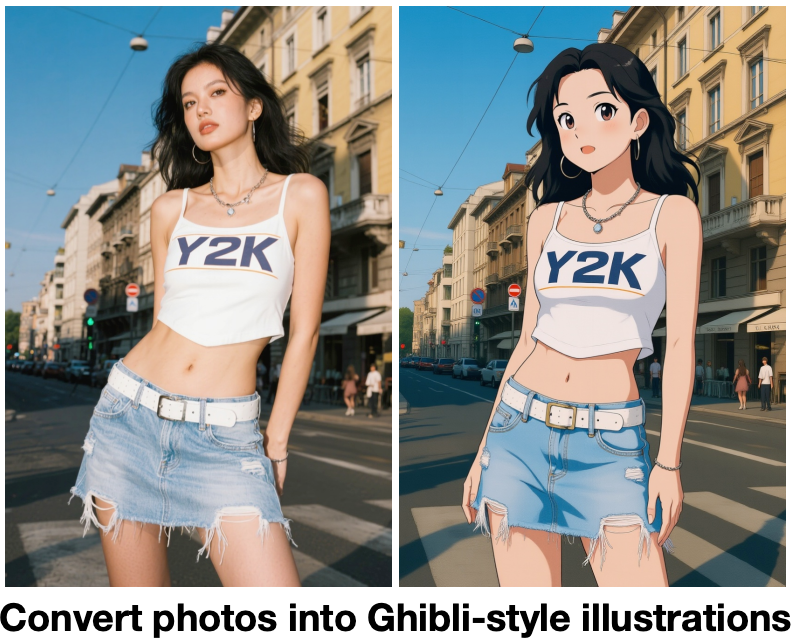
Ghibli Style Transfer

Ghibli Style Transfer

AI Generated
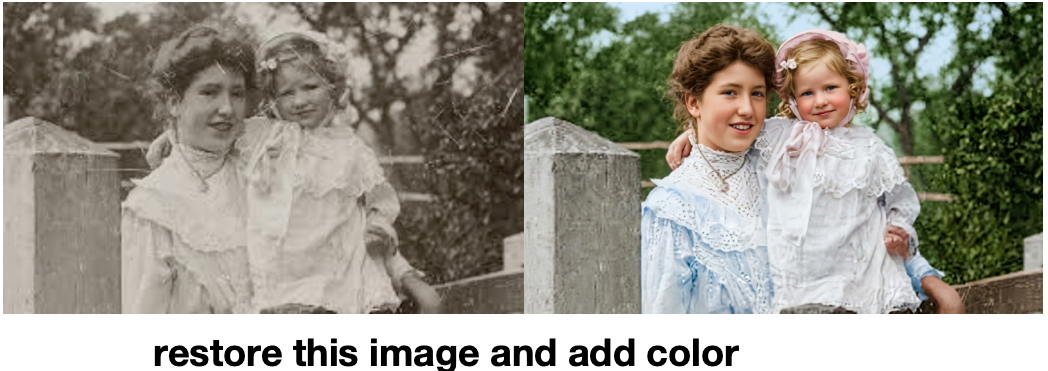
Photo Restoration

Photo Restoration

AI Generated
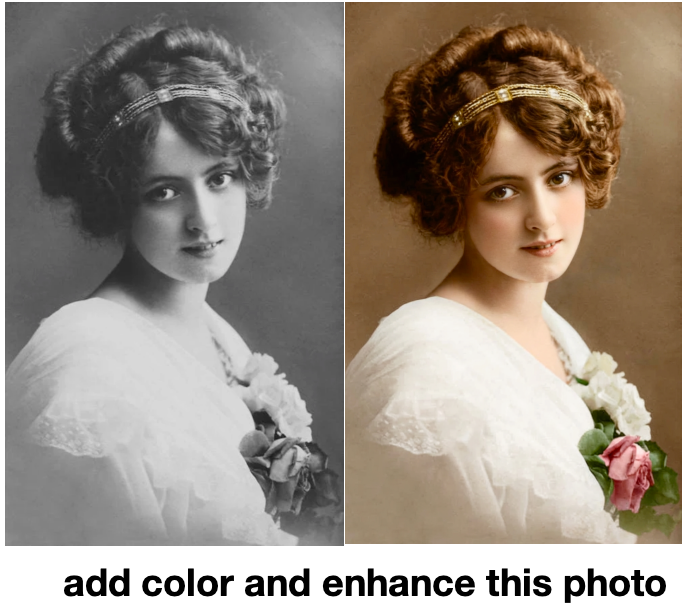
Colorization

Colorization

AI Generated
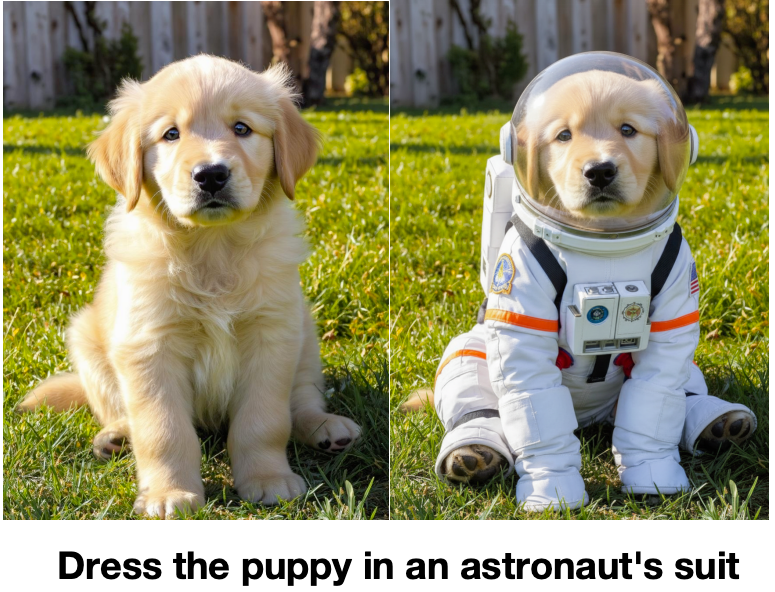
Consistent Generation

Consistent Generation

AI Generated
AI Generated Art

AI Generated Art

AI Generated

FLUX 3 AI Image Generator: Text to Image, Image to Image, and Video in One Model

FLUX 3 is the new multimodal AI model from Black Forest Labs. Unlike earlier FLUX releases that focused on images, FLUX 3 unifies image generation, image editing, short video, and audio inside a single model. That means one prompt can return a photo, an illustration, or a short clip with sound. The FLUX 3 AI image generator is built for creators who want one workflow across text to image and image to image without swapping tools. Use it for marketing visuals, product concepts, social posts, storyboards, and short video teasers. Because the model jointly learns from images, video, and audio, FLUX 3 outputs feel more lifelike and internally consistent than results from separate single-task models.

FLUX 3 Text to Image, Image to Image, and Short Video with Audio

Text to image converts natural-language prompts into sharp visuals. Image to image lets you upload one photo and describe the change you want — the model rewrites style, background, lighting, or objects while keeping the structure of your source. The video mode expands the same prompt into a short moving clip, and FLUX 3 adds synced audio to the result. This multimodal range is what sets FLUX 3 apart from FLUX 1 and FLUX 2. Whether you need a product shot, a poster, an ad variation, or a video teaser with sound, FLUX 3 handles it inside one browser-based workspace.

How FLUX 3 Works

FLUX 3 turns one prompt into images, image edits, and short video with audio through a unified multimodal workflow. The AI image generator is built so anyone can produce polished visuals without setup, model tuning, or API keys.

Step 1

Write a prompt Describe the picture or clip you want to create. Strong prompts cover subject, setting, composition, lighting, camera perspective, color palette, and style. The richer your prompt, the closer the FLUX 3 output matches your intent.

Step 2

Pick a mode Switch between text to image, image to image, or a short video request. FLUX 3 keeps every mode on the same prompt surface so you can move from a still image to an edit or clip without changing tools.

Step 3

Generate and export Run the model and receive a polished image or a short clip with synced audio. Download your result, refine the prompt, or feed the output back in for another variation in seconds.

Try FLUX 3 Free

FLUX 3 FAQ

FLUX 3 is the latest multimodal AI model from Black Forest Labs. It generates images, short video up to 20 seconds, and audio from one prompt. Unlike FLUX 1 and FLUX 2, which focused on text to image, FLUX 3 jointly learns from images, video, and audio, so its outputs stay more true to life across every style.
Yes. This browser-based generator lets you enter a prompt, choose a mode, and create an image without installing software. New accounts receive credits that can be used to try text to image and image to image right away, and you can upgrade for more FLUX 3 generations.
Yes. Text to image converts written descriptions into original visuals. The best prompts describe subject, setting, composition, lighting, camera angle, color palette, and visual style in clear language, and FLUX 3 returns an image that follows those instructions closely.
Yes. Image to image accepts one uploaded photo and an edit instruction. You can ask the model to change style, replace a background, add or remove an object, adjust lighting, or create a fresh variation while keeping the original image as context.
Yes. The video mode can generate short clips up to 20 seconds long from a single prompt, and FLUX 3 adds synced audio to the output. Video is a major upgrade over FLUX 1 and FLUX 2, which were image-only models.
FLUX 2 is a state-of-the-art text-to-image model. FLUX 3 goes further by combining image generation, video, and audio in one multimodal model. FLUX 3 also improves prompt adherence, realism, and style range, making it the more versatile choice for creators who need more than still images.
Yes. You can start using FLUX 3 for free with new-user credits. The free tier lets you try text to image and image to image before upgrading, and paid plans unlock more generations plus higher-resolution output.
Strong prompts read like a brief: name the subject, the medium (photo, illustration, 3D render), the lighting, the camera perspective, the color palette, and the mood. The richer your prompt, the closer the FLUX 3 output matches your vision across text to image, image to image, and video.
FLUX 3 supports 1:1, 3:2, 2:3, 3:4, 4:3, 4:5, 5:4, 9:16, 16:9, 21:9, 1:4, 4:1, 1:8, and 8:1. These ratios cover common social, mobile, presentation, banner, and panoramic formats, so every output fits the platform you are publishing to.
Yes. Images, edits, and video clips you create with FLUX 3 can be used for personal and commercial work, including ads, social media, product pages, and brand campaigns. Always follow the FLUX 3 terms supplied by Black Forest Labs for your plan.

Start Creating with FLUX 3

FLUX 3 brings image generation, image to image, short video, and audio into one multimodal workspace. Generate, edit, and remix in a single streamlined workflow.