Every image below was created with GPT Image 2.6 in this playground — a portrait and a retro text poster generated from prompts, plus a background replacement performed with natural language instructions using GPT Image 2.6 image to image.
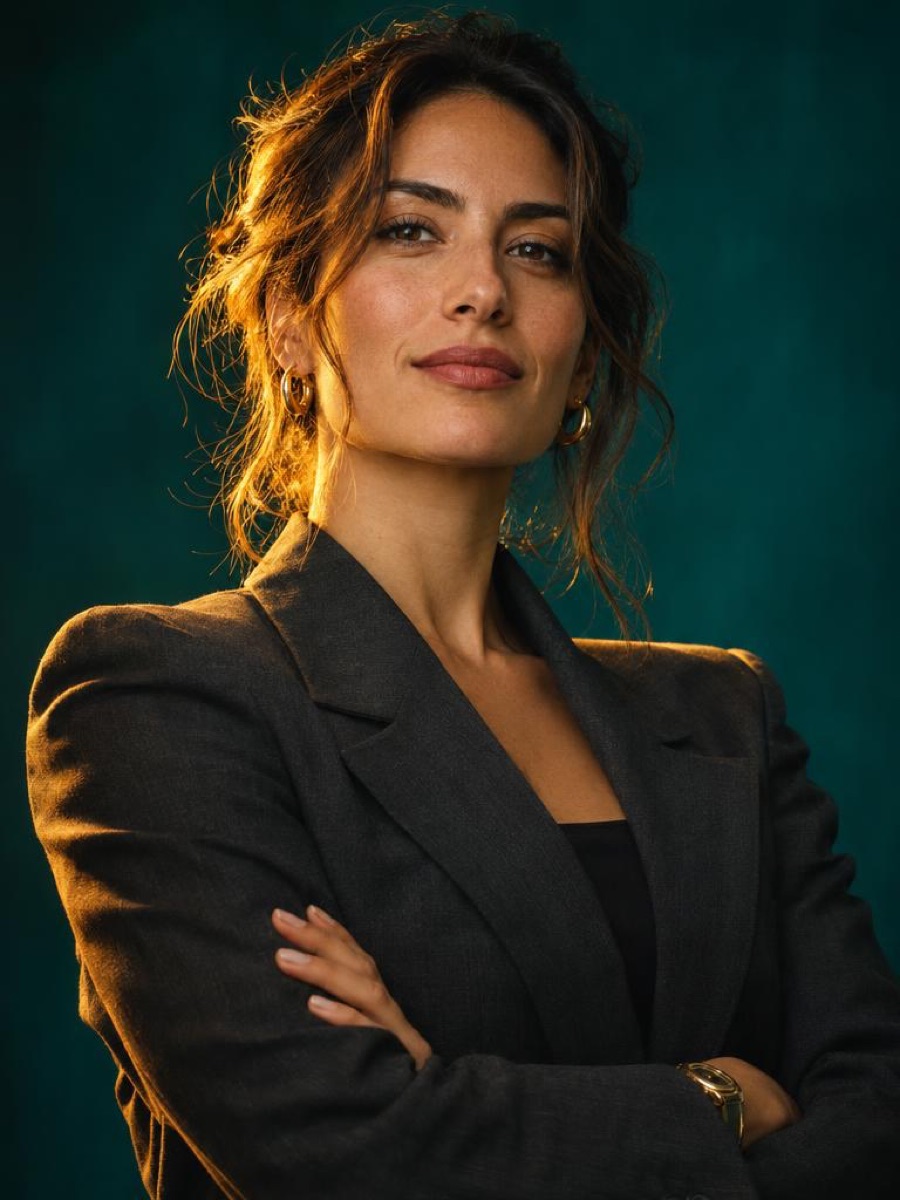
Prompt: “Cinematic studio portrait of a confident female entrepreneur in her early 30s, tailored charcoal blazer, dramatic golden rim lighting, deep teal backdrop, 85mm editorial photography.”
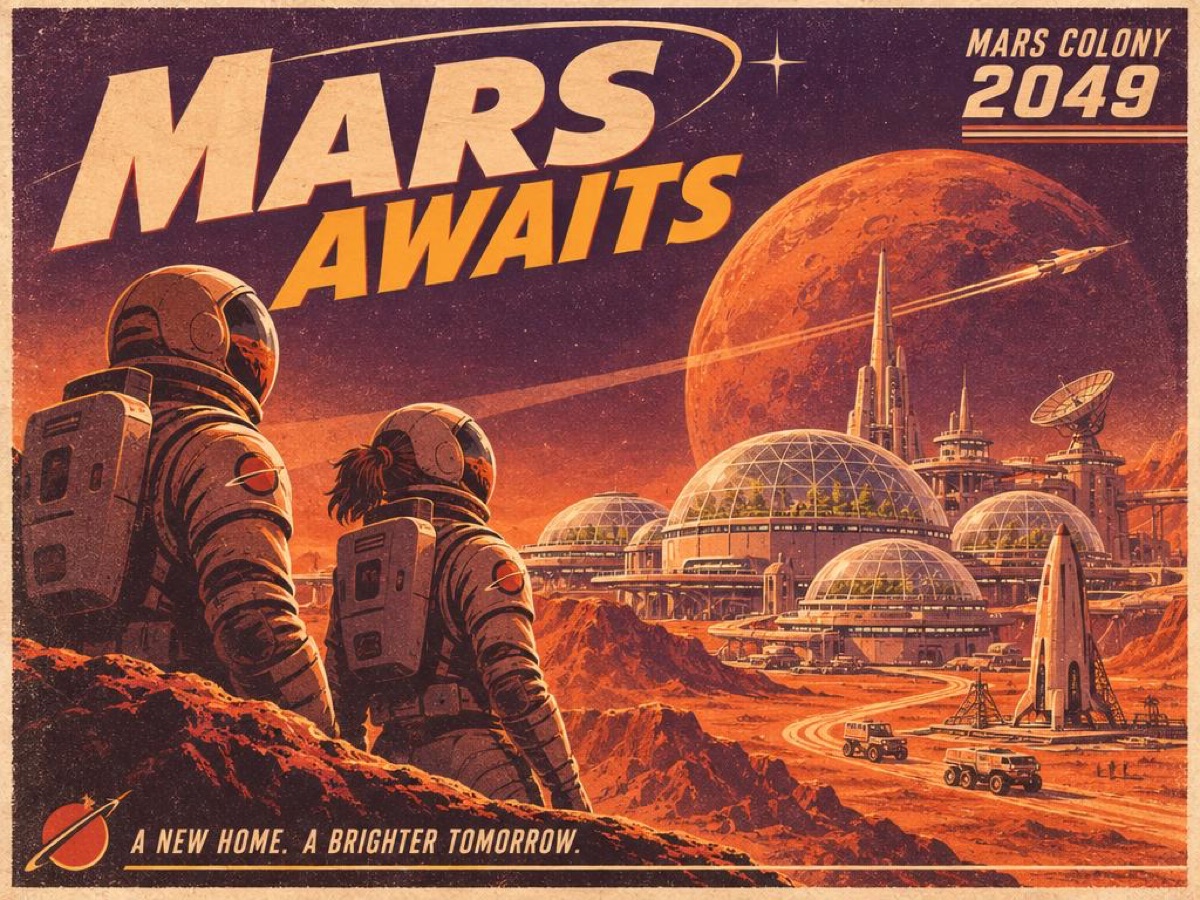
Prompt: “Vintage travel poster for Mars Colony 2049, bold retro-futuristic typography reading 'MARS AWAITS', warm orange and deep purple palette, grainy print texture, mid-century illustration style.”
Before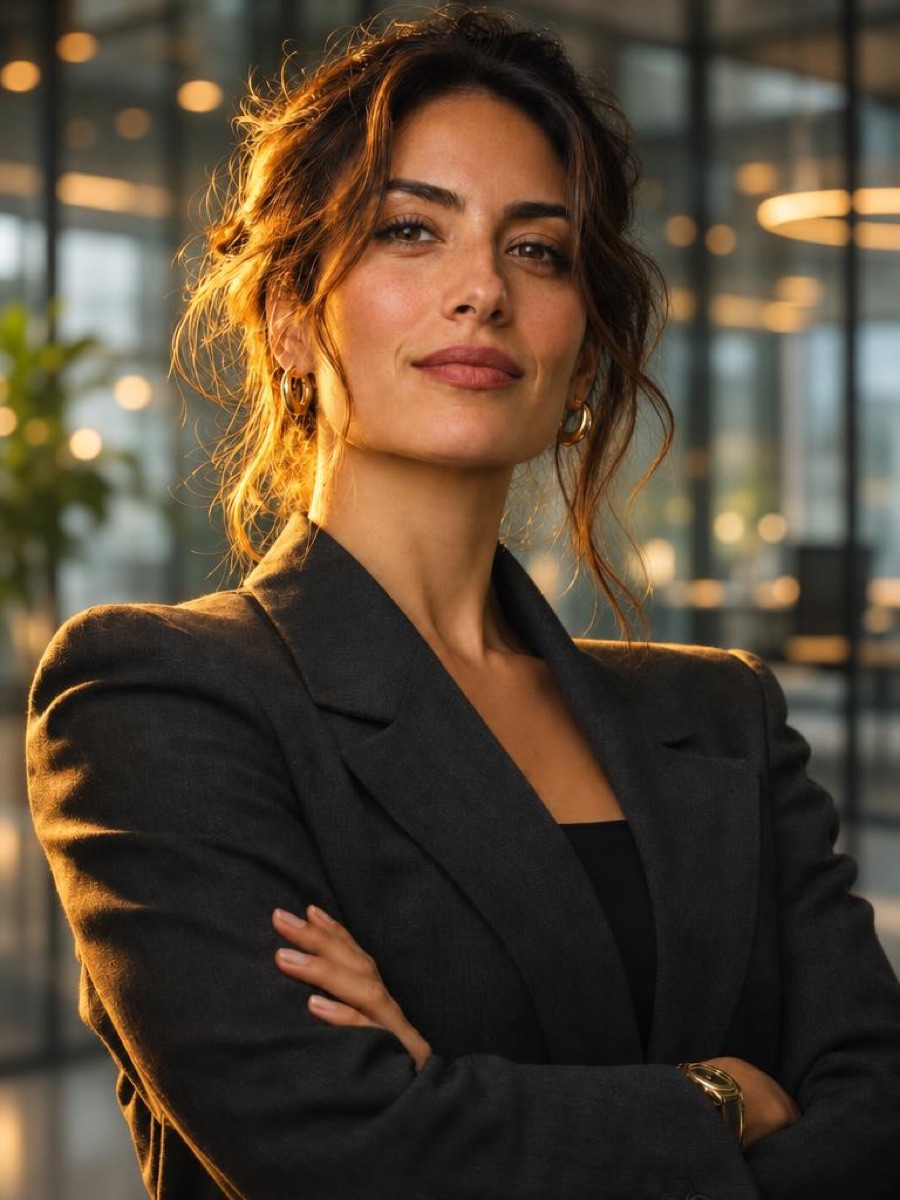 After
Prompt: “Replace the background with a softly blurred modern glass office with warm bokeh lights. Keep her face, hairstyle, pose and outfit exactly the same.”
Try these prompts yourself in the GPT Image 2.6 playground above — switch between Sunburst and Flare, tune quality and complexity, or upload your own image to edit.

Select GPT Image 2.6 text to image or image to image mode. Pick the Sunburst or Flare variant, set your image size, quality, complexity, and background.
GPT Image 2.6 processes your request with OpenAI's newest model — iterate fast on Flare, then finalize on Sunburst with best-in-class edit consistency.
Download your GPT Image 2.6 output or continue editing. Upload up to 16 reference images or draw image markup to refine results with natural language instructions.
Compare GPT Image 2.6 with GPT Image 2.5 and Nano Banana Pro to find the best AI image generator for your needs.
| Feature | GPT Image 2.6 | GPT Image 2.5 | Nano Banana Pro |
|---|---|---|---|
| Model Provider | OpenAI (Sunburst / Flare variants) | OpenAI (Sunburst / Flare variants) | Google (via Nano Banana Pro) |
| Text to Image | ✅ Excellent | ✅ Excellent | ✅ Excellent |
| Image to Image | ✅ Native, up to 16 Reference Images | ✅ Native, up to 10 Images | ✅ Multi-Image Reference |
| Text Rendering Quality | ⭐⭐⭐⭐⭐ Near Perfect | ⭐⭐⭐⭐⭐ Near Perfect | ⭐⭐⭐⭐ Very Good |
| Output Formats | JPEG, PNG, WebP, GIF, SVG | JPEG, PNG, WebP | JPEG, PNG, WebP |
| Transparent Background | ✅ Native Support | ✅ Native Support | ⚠️ Limited |
| Speed Tiers | Flare ~50% faster; low quality renders in ~6s | Single speed per variant | Fast iteration |
| Edit Consistency | ⭐⭐⭐⭐⭐ Best in Class (Sunburst) | ⭐⭐⭐⭐ Very Good | ⭐⭐⭐⭐ Very Good |
| Prompt Length | Up to 32,000 characters | Up to 20,000 characters | Standard length prompts |
| Complexity Control | ✅ 5 levels (low → max) | ⚠️ Not available | ⚠️ Not available |
| Image Markup Editing | ✅ Draw on images to direct edits | ⚠️ Not available | ⚠️ Not available |
| Best For | Fastest pro edits, GIF/SVG output, complex multi-image composites | 4K output, transparent PNGs, cinematic ratios | High-res output, multi-reference, batch work |
Best for the fastest professional edits (Flare), best-in-class edit consistency (Sunburst), 16 reference images, and GIF/SVG output.
Best for native 4K resolution, transparent PNG backgrounds, and 13 cinematic aspect ratios at a proven quality bar.
Best for multi-image reference workflows, batch image generation, and cost-effective 4K professional projects.
GPT Image 2.6 is OpenAI's newest AI image generation model, announced on October 26, 2026 as the successor to GPT Image 2.5. GPT Image 2.6 ships in two variants — GPT Image 2.6 Sunburst for maximum quality and edit consistency, and GPT Image 2.6 Flare for up to 50% faster renders — and introduces GIF and SVG output, image markup editing, a five-level complexity control, and support for up to 16 reference images per edit.
On this page you can try GPT Image 2.6 free — no setup required. Generate images from text prompts, upload up to 16 images for AI editing, switch between Sunburst and Flare, tune quality and complexity, and download watermark-free results.
GPT Image 2.6 text to image generation turns detailed descriptions into high-fidelity visuals. The model accepts prompts up to 32,000 characters — even longer than GPT Image 2.5 — so you can specify complete brand guidelines, typography requirements, and multi-subject compositions in a single request. GPT Image 2.6 keeps the industry-leading text rendering the GPT Image family is known for: logos, posters, and UI mockups come out with correctly spelled, readable text.
Choose from seven image size presets — auto, square HD, square, portrait 4:3, portrait 16:9, landscape 4:3, and landscape 16:9 — covering Instagram posts, YouTube thumbnails, website banners, and cinematic frames from the same GPT Image 2.6 online playground.
GPT Image 2.6 image to image editing accepts up to 16 reference images — six more than GPT Image 2.5 — and applies changes described entirely in plain language. Replace backgrounds, restyle products, merge subjects across photos, or rework poster typography while the model preserves everything you did not mention.
Sunburst-tuned edit consistency is the headline improvement: edited regions blend lighting, grain, and perspective with the untouched parts of the image noticeably better than previous generations, which makes GPT Image 2.6 the strongest model yet for photo retouching workflows.
OpenAI ships GPT Image 2.6 in two variants with the same API and parameters: GPT Image 2.6 Sunburst is the quality tier — the best raw fidelity and the most consistent edits. GPT Image 2.6 Flare is the speed tier — up to 50% faster, rendering a low-quality image in roughly six seconds, which is ideal for rapid iteration and draft exploration.
The practical workflow is speed-then-quality: iterate with Flare at low quality until your prompt is right, then run the final render on Sunburst at high quality. Our playground has a one-click variant switcher so you can A/B test both with the same prompt.
GPT Image 2.6 separates fidelity from reasoning. The quality setting (low / medium / high) controls render fidelity and directly scales cost — 1 credit for low, 2 for medium, 3 for high. The complexity setting (low / medium / high / xhigh / max) controls how much reasoning the model spends interpreting your prompt before rendering.
Use low complexity for simple, literal prompts and raise it for dense instructions, many subjects, or precise layout requirements. Combining Flare + low quality + low complexity gives you the fastest possible draft loop; Sunburst + high quality + high complexity gives you the best possible output. You can also batch up to 10 images per run with the Images selector — credits scale linearly at quality cost × count, and every result downloads individually or as a batch.
GPT Image 2.6 GIF output generates short animated images directly from prompts, and GPT Image 2.6 SVG export returns scalable vector art — a first for the GPT Image family and a big win for logos, icons, and print-scale graphics. Both formats are selectable directly in the Format dropdown of the playground above.
Image markup lets you draw directly on an input image — circling an object, arrowing to a region — and the model treats your marks as edit instructions. Combined with natural language, it makes precise, localized edits far easier to express than with text alone.
In the GPT Image 2.6 vs GPT Image 2.5 comparison, 2.6 focuses on speed, edit scale, and output formats rather than raw resolution. GPT Image 2.6 adds the Flare speed variant (up to 50% faster), raises reference image input from 10 to 16, extends prompts from 20,000 to 32,000 characters, introduces the five-level complexity control, adds image markup editing, and outputs GIF and SVG natively. GPT Image 2.5 retains the edge in native 4K resolution and 13 aspect ratios, and remains available in our playground.
In the GPT Image 2.6 vs Nano Banana comparison, GPT Image 2.6 leads in text rendering, edit consistency, and creative output formats (GIF, SVG), and its 16-image reference input now exceeds anything in Google's lineup. Nano Banana models remain a solid pick for fast, simple iteration. For a feature-by-feature breakdown, see the comparison table above.
ByteDance says its newer image model, Seedream 5.5, leads GPT Image 2.5 Sunburst on text structure and text-to-image realism. That statement is ByteDance's own claim, and it names GPT Image 2.5 rather than GPT Image 2.6. The Seedream 5.5 guide covers the claim. This playground runs GPT Image 2.6.
The GPT Image 2.6 API uses an async job pattern: create a task with your prompt, image size, background, quality, and complexity parameters (plus image URLs for edits), then poll for the result. Both Sunburst and Flare variants expose the same contract, so switching between quality and speed tiers is a one-line change. Every playground feature on this page maps 1:1 to the GPT Image 2.6 API, so what you test here is exactly what you can automate.
Sign up free to start making AI images with GPT Image 2.6. Experience OpenAI's newest image model with Sunburst & Flare variants, GIF/SVG output, and 16-image editing.