letsmkvideo

Seedream 5.0 Pro — AI Image Generator

Image
(Max 10 images)
Upload reference image
(<30M, >300px)
Prompt
0/500
Credits required: 1
Sample Image
Sample output

AI Image Examples

Explore stunning examples created with our AI image generator and editor.

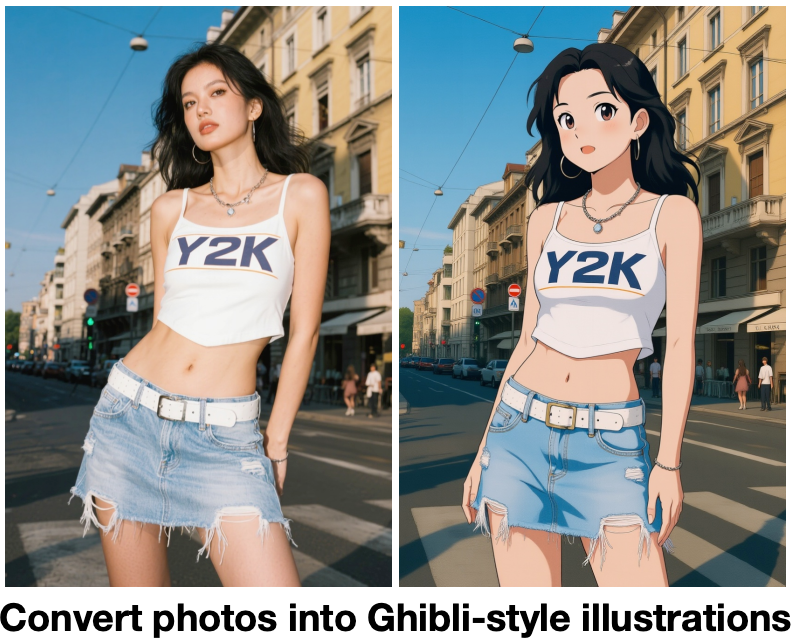
Ghibli Style Transfer

Ghibli Style Transfer

AI Generated
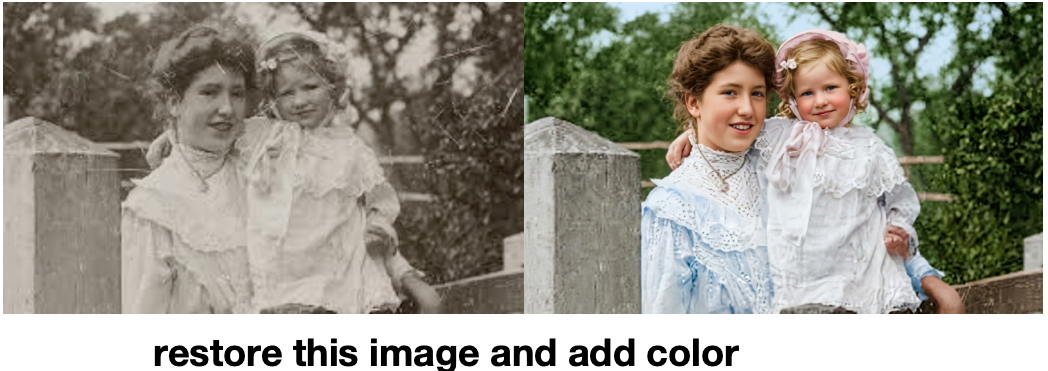
Photo Restoration

Photo Restoration

AI Generated
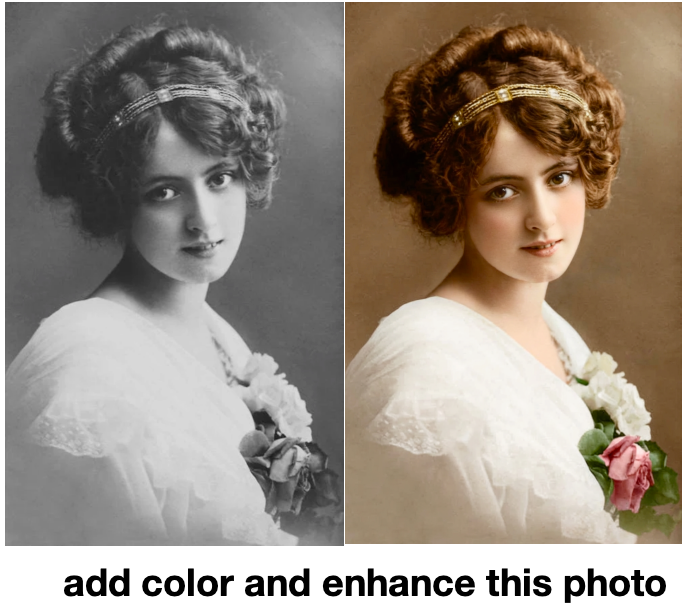
Colorization

Colorization

AI Generated
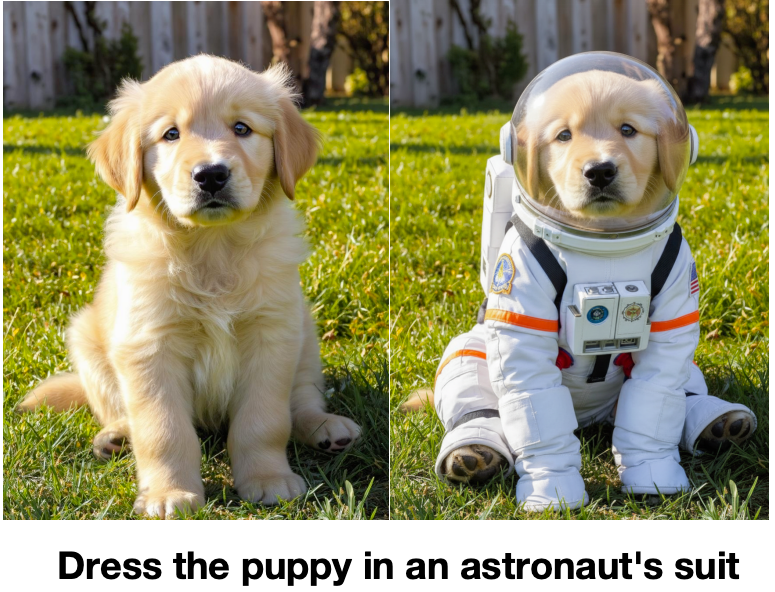
Consistent Generation

Consistent Generation

AI Generated
AI Generated Art

AI Generated Art

AI Generated

Seedream 5.0 Pro: Text to Image & Image to Image in Seconds

Seedream 5.0 Pro is the AI Image Generator that turns simple text into detailed photos, illustrations, and stylized art. Upload an existing photo and Seedream 5.0 Pro keeps the structure while changing style, lighting, and mood. ByteDance Seedream 5.0 Pro reasons over your prompt and references to deliver vision-perfect output every time. Whether you need a product shot, a poster, or a multilingual campaign visual, Seedream 5.0 Pro handles it in one flow.

Seedream 5.0 Pro AI Image Generator: Edit Photos with Precision

Seedream 5.0 Pro AI is also a powerful editor. Fix old photos, erase distractions, remove backgrounds, or add new objects using plain-language prompts. Seedream 5.0 Pro supports multi-reference blending and local editing, so each Seedream 5.0 Pro edit stays sharp and consistent. The ByteDance Seedream 5.0 Pro model understands layered design, infographics, and dense page layouts, making it the Seedream 5.0 Pro AI Image generator of choice for brand teams and designers.

How Seedream 5.0 Pro Works

Seedream 5.0 Pro turns simple prompts and reference photos into high-quality visuals in three steps. The Seedream 5.0 Pro AI Image Generator handles composition, text rendering, and detail refinement for you.

Step 1

Prompt or upload references Describe what you want Seedream 5.0 Pro to create, or upload 1–10 reference images to guide style, pose, and color. Seedream 5.0 Pro blends multiple references into one cohesive result.

Step 2

Pick a size & resolution Choose an aspect ratio and select 1K or 2K resolution for your Seedream 5.0 Pro generation. Higher resolution delivers sharper detail for commercial-grade output.

Step 3

Generate, edit, and export Seedream 5.0 Pro generates in seconds. Refine the result with natural-language edits, then export your Seedream 5.0 Pro creation for ads, social media, or print.

Try Seedream 5.0 Pro Free

FAQ

Seedream 5.0 Pro is an advanced AI image generator created by ByteDance. Seedream 5.0 Pro generates high-quality visuals from text prompts and reference photos. You can use Seedream 5.0 Pro for text to image, image to image, precise local editing, layered design, and multilingual layouts. The Seedream 5.0 Pro AI Image generator handles complex briefs that ordinary tools cannot.
Yes. You can start using Seedream 5.0 Pro for free with credits for new users. The free Seedream 5.0 Pro AI Image Generator tier lets you try text to image and image to image before upgrading. Paid plans unlock more Seedream 5.0 Pro generations and 2K resolution output.
Seedream 5.0 Pro text to image analyzes your prompt and generates a matching visual. Seedream 5.0 Pro understands complex descriptions, style directions, and compositional instructions. Type what you want and Seedream 5.0 Pro creates it in seconds with high fidelity and strong prompt following.
Seedream 5.0 Pro image to image lets you upload any photo and describe changes in natural language. Seedream 5.0 Pro supports background replacement, style transfer, object add or remove, and local editing. Tell Seedream 5.0 Pro what to change and it applies the edit while preserving the original image's integrity.
ByteDance Seedream 5.0 Pro brings layered design editing, multilingual text rendering, and high-density information layout to AI image generation. ByteDance Seedream 5.0 Pro can create infographics, posters, and commercial visuals with readable text and structured layouts. This sets Seedream 5.0 Pro apart from ordinary text-to-image tools.
Yes. Seedream 5.0 Pro is a full-featured Seedream 5.0 Pro AI Image generator. It supports text to image, image to image, multi-reference blending, and precise local editing. You get ByteDance Seedream 5.0 Pro-grade results without setup or API keys, all in a browser-based workflow.
Yes. Seedream 5.0 Pro supports multi-reference blending, letting you combine several people, objects, and styles into one image. Seedream 5.0 Pro interleaves text and references so the final Seedream 5.0 Pro output matches your vision across every detail.
Seedream 5.0 Pro supports multiple aspect ratios including 1:1, 16:9, 9:16, 3:4, 4:3, 3:2, 2:3, and more. This makes Seedream 5.0 Pro versatile for social posts, story formats, website banners, and print. Seedream 5.0 Pro can also export at 1K or 2K resolution.
Yes. Images you create with Seedream 5.0 Pro can be used for personal and commercial projects such as ads, social media, product pages, and branding. Seedream 5.0 Pro outputs are ready to download and share anywhere.
The Seedream 5.0 Pro AI Image Generator typically produces images in a few seconds. Simple Seedream 5.0 Pro text-to-image requests are fastest, while complex Seedream 5.0 Pro edits and 2K resolution may take slightly longer to ensure high-quality output.

Start Creating with Seedream 5.0 Pro

Seedream 5.0 Pro is the AI Image Generator that turns ideas and photos into polished visuals. Generate, edit, and remix with ByteDance Seedream 5.0 Pro in one streamlined workflow.